Moodle 5.2 at a Glance: What's New for Learners, Instructors, and Administrators
Moodle 5.2 is the third release in the 5.0 series. The major decisions regarding Moodle’s software architecture were made in versions 5.0 and 5.1—the AI subsystem, the new course overview, grade deductions, /public-directory structure, new routing engine. Moodle 5.2 consistently continues this approach and adds four key areas of focus: a modern front-end foundation (React, Moodle Design System), Composer support, observability via Open Telemetry (observability is the ability to understand the internal state of complex IT systems based on their external outputs—logs, metrics, and traces), and read replica support for the database.
This article summarizes the changes. It focuses on the changes that instructors, participants, and administrators will see. We will cover the technical changes and updates for developers in a separate article.
For eLeDia customers, we will not roll out the upgrade to Moodle 5.2 until Q3 2026. The strategy behind this is to wait for the next minor release, 5.2.1 (scheduled for June 2026), which, based on experience, will already have fixed any bugs in the new version. However, bug fixes and security updates will, of course, continue to be applied to our customers’ systems on an ongoing basis as usual.
Highlights at a glance
In day-to-day course use, the following changes are particularly noticeable in Moodle 5.2: The login page has been redesigned and includes a revamped MFA interface. Within a course, linear course navigation with temporary anchor highlighting ensures a more coherent reading experience, and upon completing an activity, a clear “Completed” status label appears; the manual completion button has been moved to the activity header.
For instructors, the system now includes a grading workflow with multiple graders per assignment, a justification field for overrides by users and groups, and standardized tertiary navigation across all grading tools. The question bank can be managed much more efficiently with collapsible categories, in-place editable question names, and the ability to move entire categories between collections. In course design, sections can now be duplicated directly, and the reset of large courses runs asynchronously in the background. In the forum, discussions can be automatically locked after inactivity. In the mobile app, menu items can be customized, and the subscription page has been redesigned.
Changes for Students
Registration
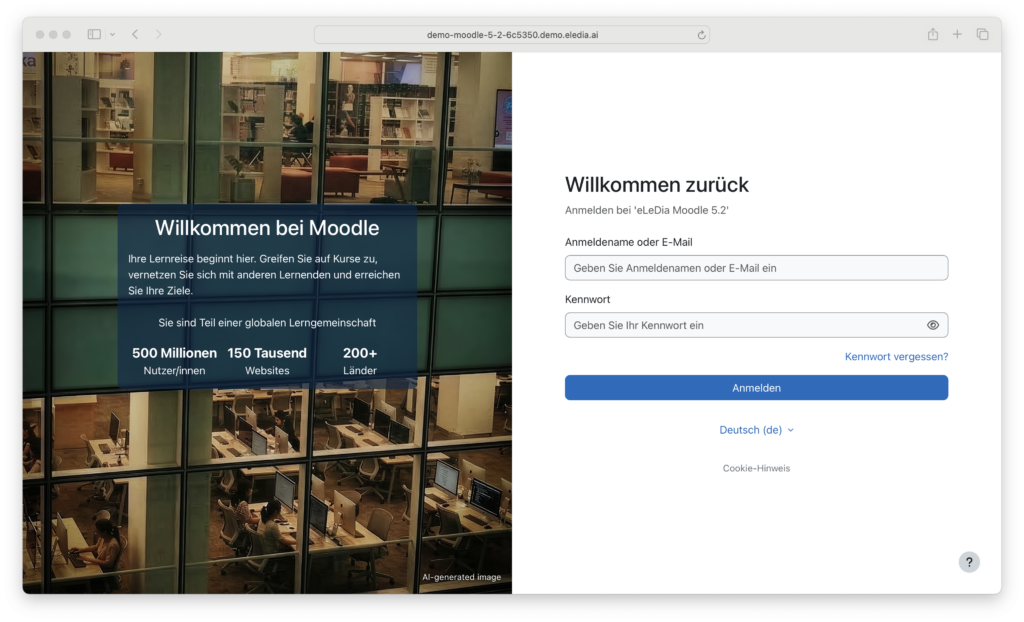
Moodle 5.2 introduces a redesigned login page with a revamped interface for multi-factor authentication. The settings for email login, forced login, and the guest login button have been streamlined and preconfigured with sensible default values for new installations. A default background image can be configured centrally.
Dashboard and Course Navigation
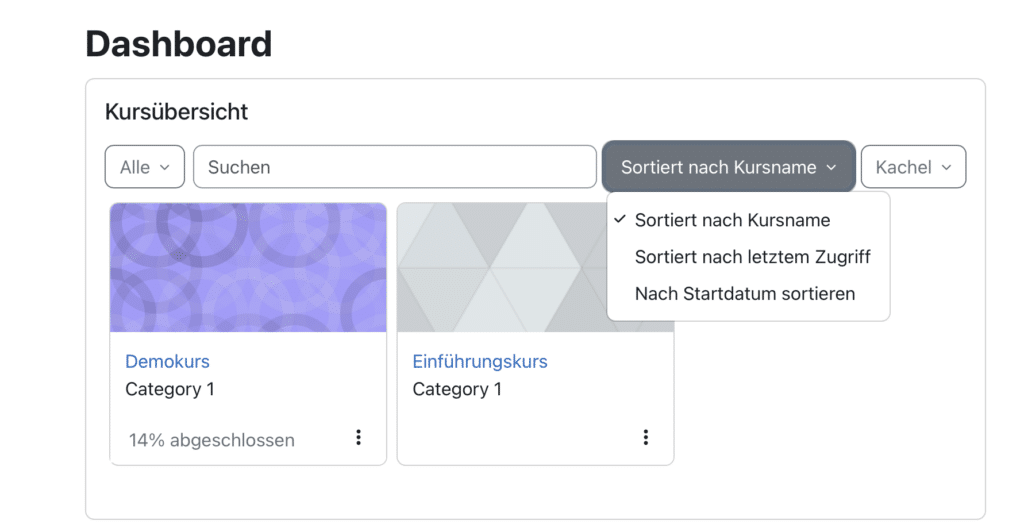
The "Course Overview " section is prominently displayed on the dashboard. The option to sort "My Courses" by start date is new.
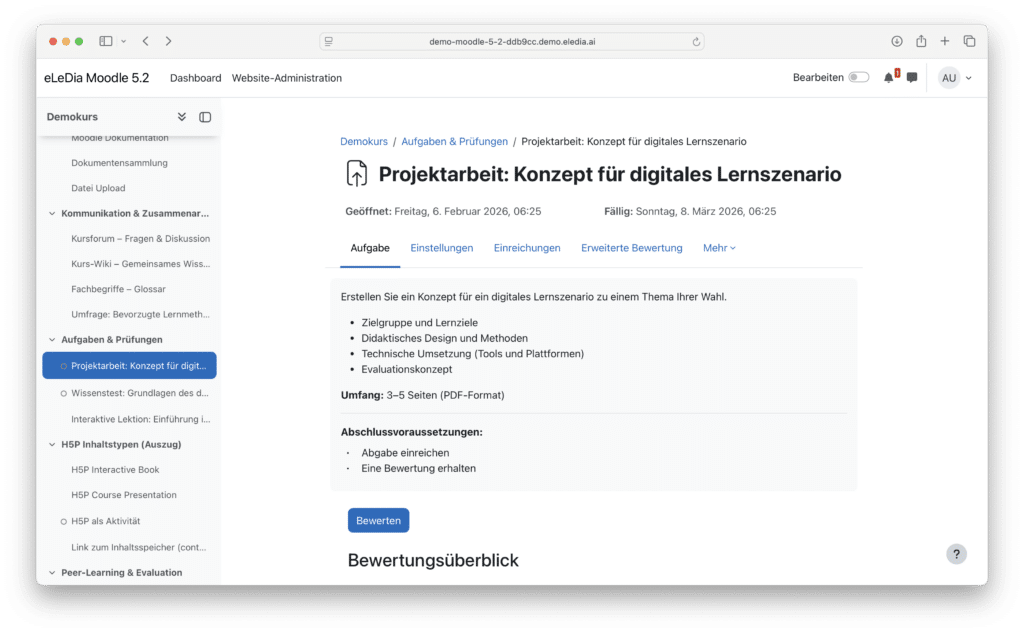
Within a course, linear navigation ensures a seamless reading experience: when you click on an anchor link, the destination is temporarily highlighted.
In version 5.2, the activity pages have been streamlined both visually and structurally. Unnecessary separators and empty spaces have been removed, and key information has been moved to the top. Specifically: Activity dates are displayed in a separate section above the description, and completion requirements appear directly below the description—allowing learners to see at a glance what needs to be done and by when.
Activity Closure and Activity Selection
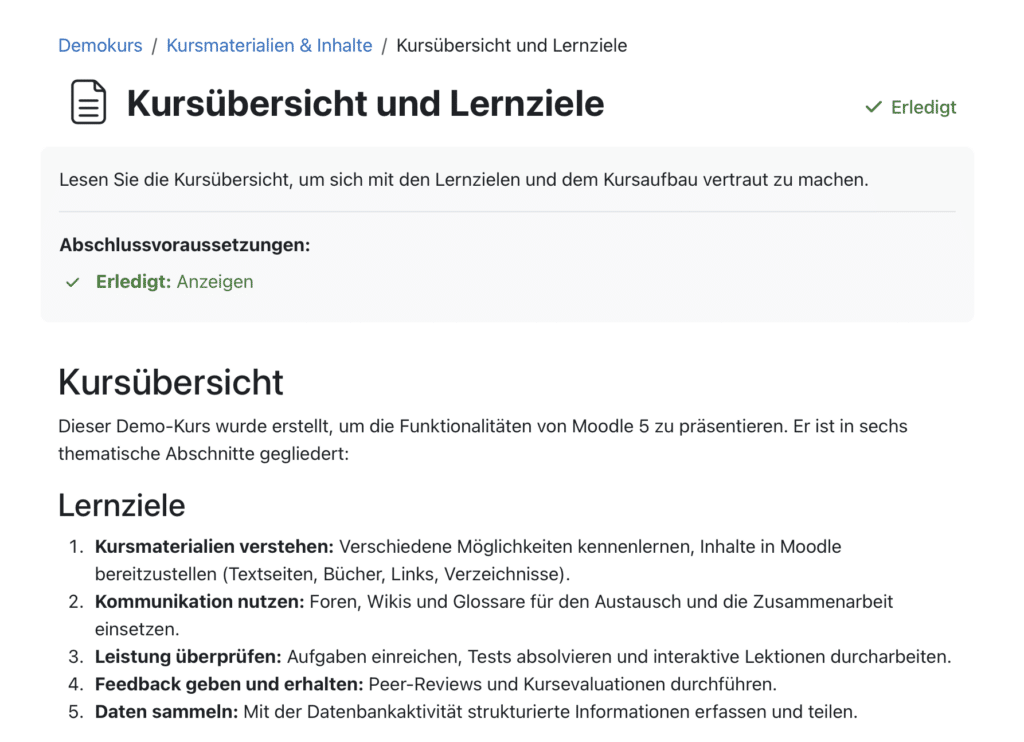
When an activity is automatically marked as completed, Moodle now displays a clear "Completed" status label . The button for manually marking an activity as completed has been moved from the bottom of the activity to the activity header—making it easier to find.
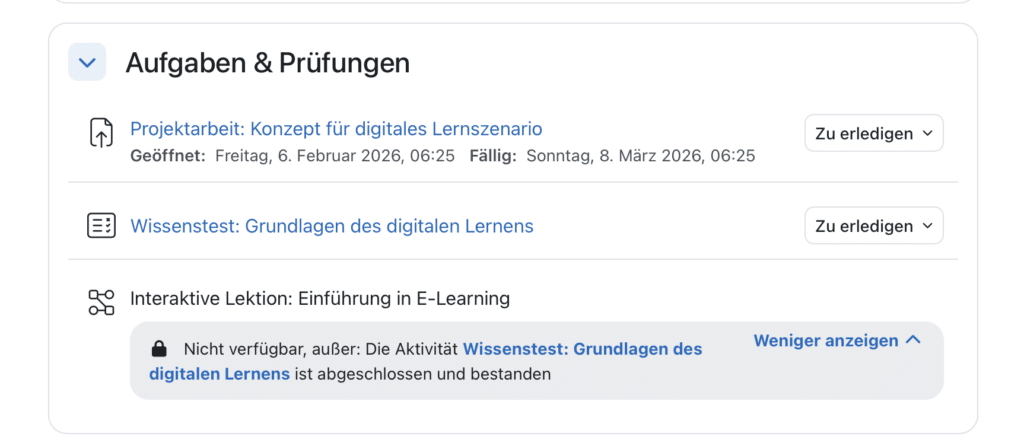
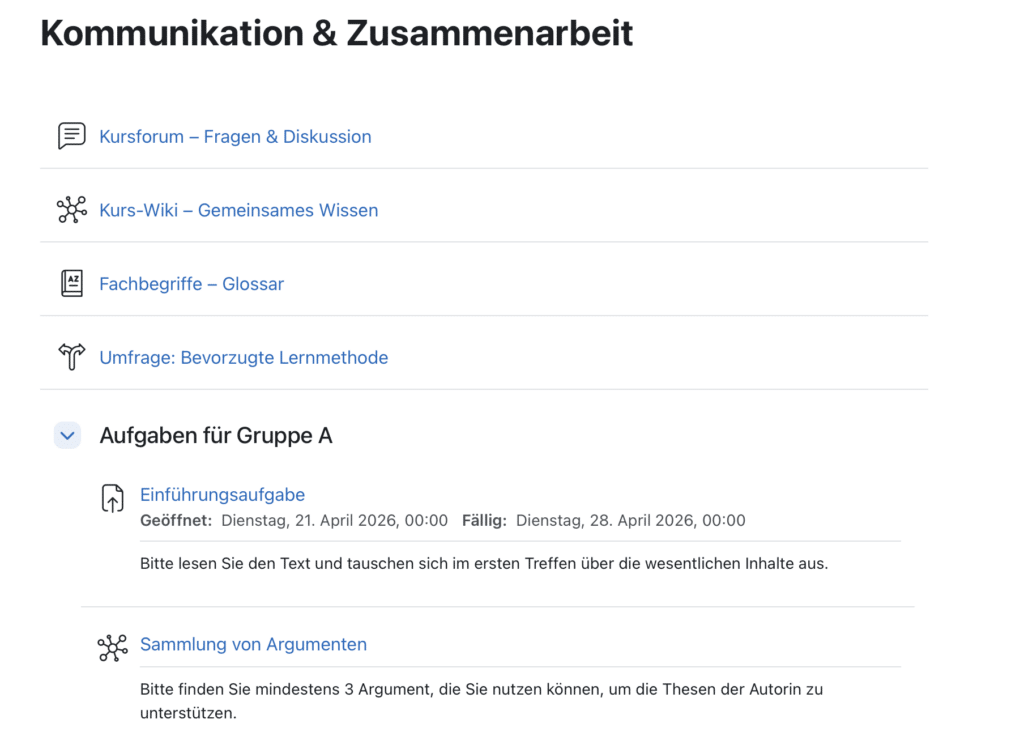
Subsections no longer have their own pages in 5.2. Clicking on a subsection in the course index takes you directly to the corresponding section on the main course page via an anchor link. This saves clicks and keeps the content cohesive.
At the same time, the visual design of the subsections has been simplified: the framed boxes have been removed, and now there is only a heading and a divider line. This makes the course page look cleaner and easier to scan.
Minor improvements
- "Select all/none" option for unused files in the TinyMCE file manager
- Clearer messages when uploading unsupported file types
- Asynchronous SMS notifications: If the SMS gateway is unavailable, Moodle automatically retries the message
Changes for Faculty
Courses and Sections
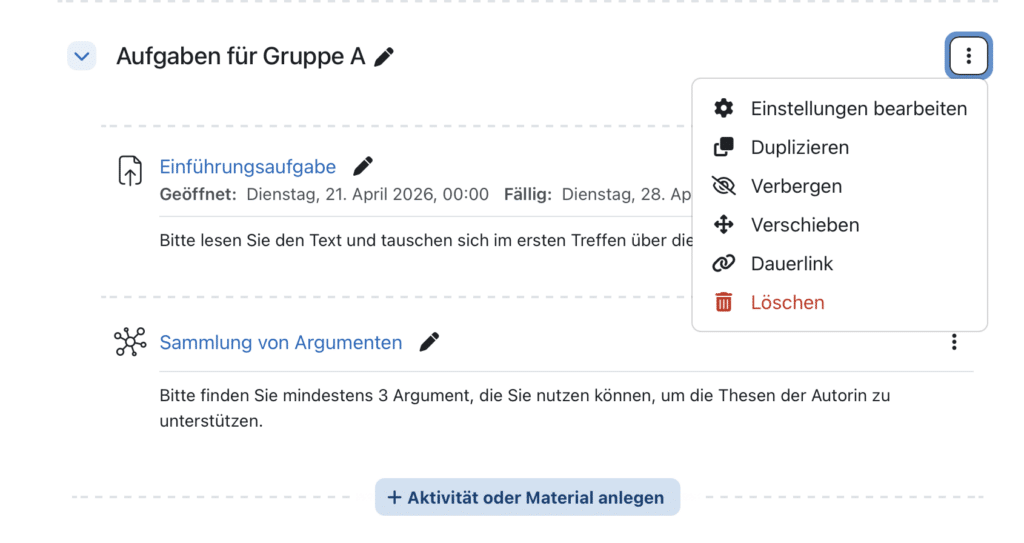
The Actions menu for subsections now includes the option " Duplicate Section." This allows you to duplicate entire course structures without having to go through the Backup/Restore process.
In large courses, course reset now runs asynchronously in the background, thereby preventing timeouts. When adding or editing an activity or resource, the page automatically jumps to the new entry.
Test and Collection of Questions
The question bank has been improved in several ways in version 5.2:
- Categories can be collapsed —a significant advantage when dealing with large collections.
- Question names can be edited directly in the list.
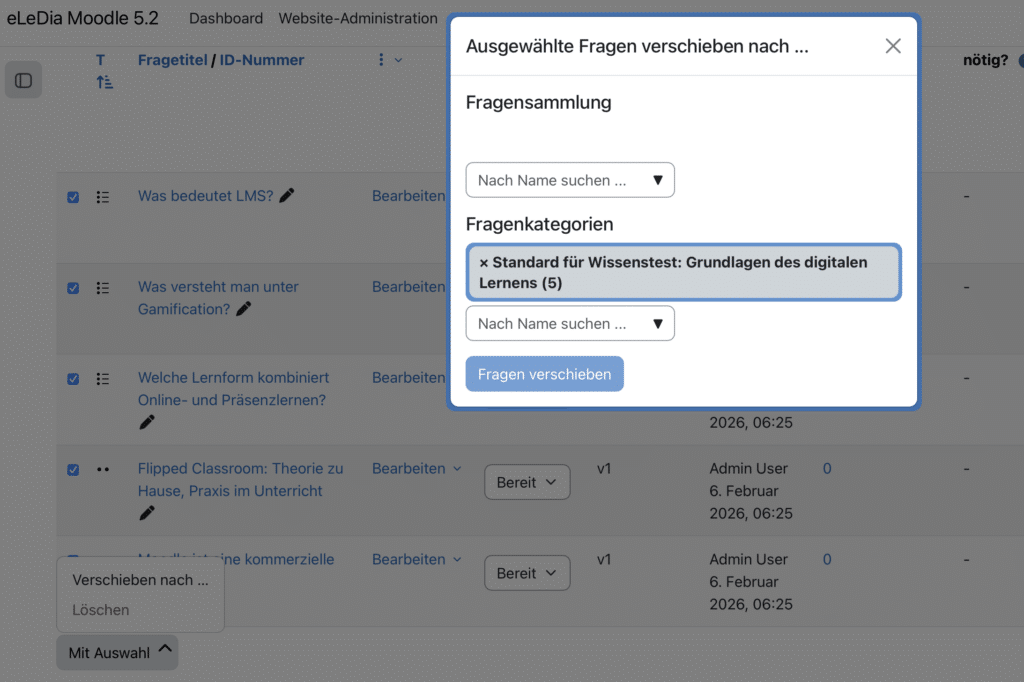
- Entire categories, including all questions and subcategories they contain, can be moved between different question collections.
- The number of questions is displayed for each question set.
Reviews
The tertiary navigation in all grading tools (Grade Book, Grade View, Individual View, etc.) has been standardized. This makes the user experience more consistent, even when switching between different grading reports.
If the review workflow is enabled, you can now use the new setting Reviewers to specify the number of evaluators per task. The setting Calculate Grade determines how the final grade is derived from the individual grades (e.g., as an average grade). This provides native support for scenarios involving second or multiple reviews for the first time.
When creating user or group changes in tasks, tests, and lessons, there is a new, optional field Reason for the change. This allows accommodations or extended deadlines to be documented directly in Moodle, rather than managing them externally.
Forum
Discussions can be automatically locked using advanced options if there has been no activity for a specified period of time. This helps to neatly close out old threads without having to edit them manually.
Changes for Administrators
Login and Authentication
In addition to the new login page mentioned earlier, version 5.2 introduces a multilingual footer: a separate HTML footer can be configured for each language.
User Management
Blocked participants are more clearly marked in the profile and in user management. The script kill_all_sessions.php has become more flexible: Sessions can now be terminated in a more targeted manner.
Mobile app
Administrators can now add their own entries to the user menu in the mobile app and configure script loading. The subscription page has been redesigned.
Backups and Maintenance
The Default file name for backups is configurable. The scheduled task update_overdue_attempt provides additional debug output. A new environment check validates the routing configuration.
AI and Filters
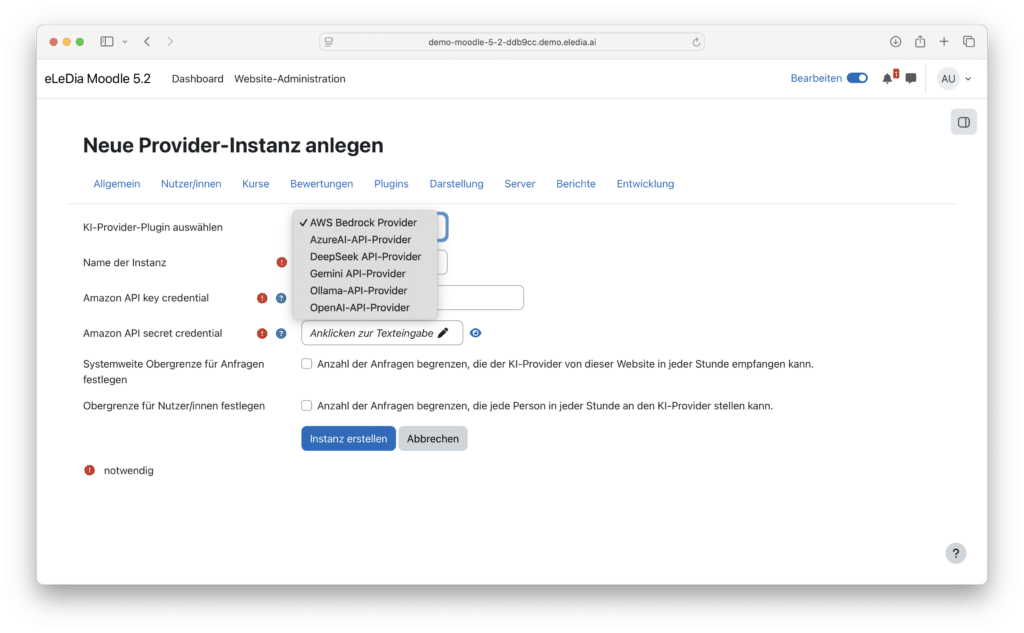
On the AI side, there are no structural changes in 5.2—the subsystem remains as it was introduced in 5.0 and expanded in 5.1 (access controls at the course and activity levels, DeepSeek provider). MimeTeX has been removed from the TeX filter.
System Requirements for Moodle 5.2
Moodle 5.2 requires at least PHP 8.3 (64-bit, with the Sodium extension) and one of the following databases: PostgreSQL 16, MySQL 8.4, MariaDB 10.11.0, or Microsoft SQL Server 2019; Oracle and SQLite are no longer supported. Users upgrading directly from Moodle 4.x must also install the /public-Take into account the directory structure and the 10-character limit for database prefixes.