On May 21, we held our eLeDia.summit as part of Global Accessibility Awareness Day (GAAD). Over the course of a day, we explored accessibility in digital learning through a series of webinars. Read helpful information about accessible learning here.
Universal Design for Learning as a strategic choice for high-quality educational programs
Universal Design for Learning is based on the idea that learning should be designed from the outset to be accessible to as many people as possible. As a result, education improves.

More than a billion people worldwide live with a disability—about 15 percent of the global population. This number is large enough that it cannot be dismissed as a footnote, yet small enough that it is often overlooked in practice. It is precisely in this gap that the difference lies between digital education enabling participation or preventing it.
Perhaps the most important point to note right off the bat: Accessibility isn’t just a mandatory exercise that you “tack on” at the end of a course. It’s an approach that helps you design learning opportunities better from the very start—for people with disabilities as well as for everyone else.
15% of the world’s population lives with a disability—more than a billion people. Every year, Global Accessibility Awareness Day encourages people to discuss digital access and digital inclusion.
The curb-lowering effect
If you want to understand the value of accessibility in a single image, just look at a lowered curb. Lowered curbs were originally designed and built for people in wheelchairs. Today, almost everyone uses them as a matter of course: parents with strollers, travelers with rolling suitcases, delivery services with hand trucks, children on scooters, and older adults with walkers.
A solution intended for a specific group ultimately turns out to be an improvement for everyone. In English, this phenomenon is known as the “curb cut effect.” It describes a pattern that runs throughout the field of design: what is designed for people with special needs almost always benefits society as a whole.

The digital equivalent of a curb cut is closed captions and transcripts. They were originally developed for deaf and hard-of-hearing people. Today, they are used by a much wider audience: by learners with cognitive or learning disabilities, by anyone consuming content on a noisy train or in a quiet office, and by people who are not yet fully fluent in the language of the content. Incidentally, transcripts also improve the discoverability of content in search engines. One measure, many beneficiaries—the Curb Cut Effect in its purest form.
The product creates the barrier
For a long time, disability was viewed as an inherent characteristic of a person. This perspective focuses on what a person supposedly cannot do. A more modern understanding reverses this perspective—and with it, the responsibility.
Disability is a conflict between a person’s functional abilities and the world we have created.
— Sarah Horton & Whitney Quesenbery, “A Web for Everyone”
The barrier isn’t within people, but in a design choice. A video without captions, an image without alt text, contrast that’s too low, a link that simply says “click here”—these are all hurdles we’ve created ourselves. That may sound inconvenient, but it’s actually excellent news: design choices can be changed. We are not helpless. We are responsible—and therefore capable of taking action.
What "Universal Design" Means
The term originally comes from the field of architecture. Universal design means designing products, spaces, services, or information in such a way that they can be used by as many people as possible without the need for adaptation or special solutions—regardless of age, abilities, or limitations.
The key difference lies in the phrase “without a special solution.” The point is not to create a special version for those affected in addition to the standard offering. Rather, it is about designing the offering in such a way that a special solution is not needed in the first place. Applied to education, this gives rise to a distinct, well-researched approach: Universal Design for Learning.
Universal Design for Learning (UDL) – the framework
UDL was developed by CAST (Center for Applied Special Technology), a nonprofit organization based in the United States. The approach is not a passing trend, but the result of four decades of research and practice.
- 1984 – Founding of CAST: David Rose and Anne Meyer establish the Center for Applied Special Technology as a nonprofit organization.
- 1990s – UDL is formulated: Rose, Meyer, and their team shape the approach and integrate it with findings from learning research.
- 2008 – Guidelines v1.0: The first official version of the UDL guidelines is published, making the model practical to apply.
- 2024 – Guidelines 3.0: The latest version (July 2024) places greater emphasis on learner identity and diversity, systemic barriers, and learner-centered language.
The current version is freely available at udlguidelines.cast.org – Guidelines 3.0.
How Learning Works
UDL is based on a simple model grounded in learning psychology. In very simplified terms—since complex neurobiological processes cannot be reduced to three boxes—three dimensions of learning can be distinguished, which can be summarized with three questions:
- Why? – The affective aspect: motivation, interest, emotional significance. Why should I engage in this learning?
- What? – Recognition: perceiving, recognizing, and understanding information. What exactly am I supposed to learn?
- How? – The strategic approach: planning, acting, executing, monitoring. How do I demonstrate what I can do?
These three questions give rise to the three guiding principles of UDL. The same approach applies to each dimension: offering a variety of options rather than a single prescribed path. A variety of options for fostering engagement (the “why”), presenting information (the “what”), and processing and expressing information (the “how”).
The three principles, as applied in Moodle
That’s the theory. UDL really becomes interesting when it starts to influence design decisions. In a Learning Management System Moodle, the three principles can be implemented directly.
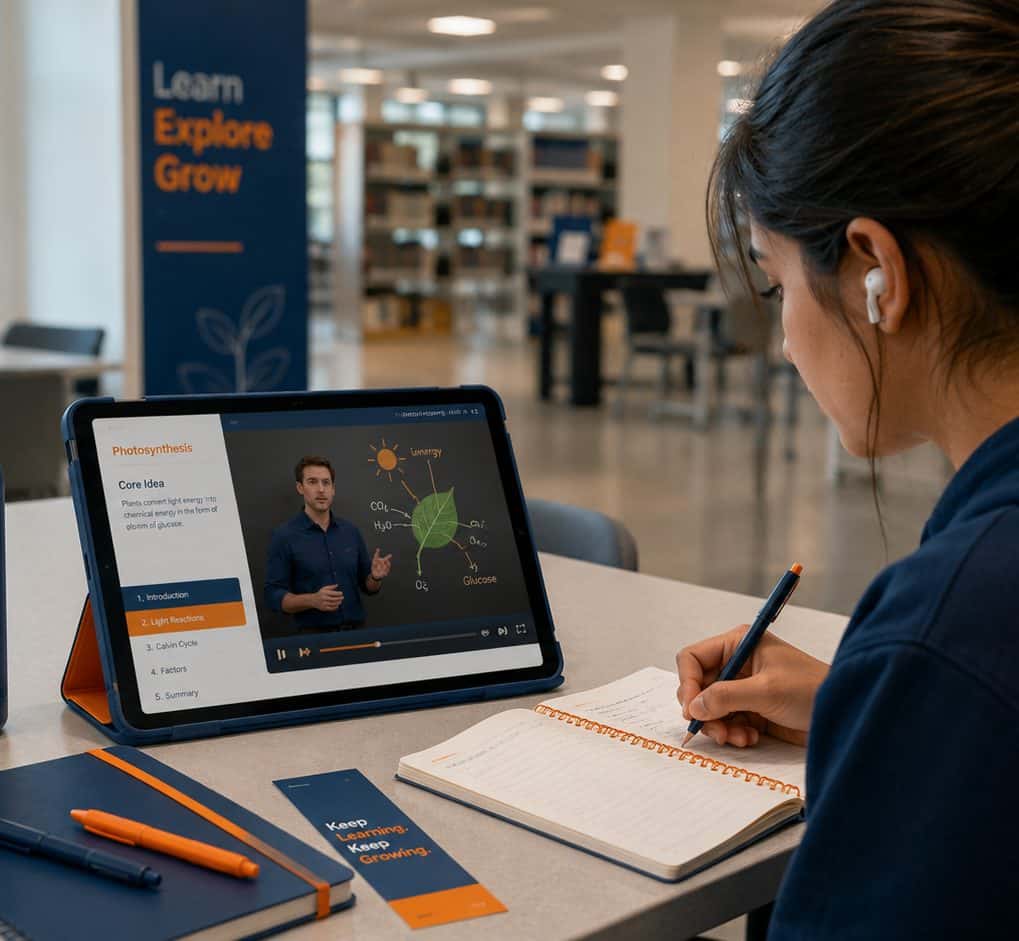
Principle 1 · Engagement: A variety of ways to foster engagement in learning
People learn better when they understand why something is relevant, when they have choices, and when they can persevere in the face of setbacks. UDL recommends taking interests and identities (e.g., professional background or experience) into account, supporting effort and perseverance, and fostering emotional competence.
In Moodle: Polls using the Poll activity, personalized learning paths based on prerequisites, free choice of topics in assignments, rubric-based feedback, peer support in forums, and logbook and reflection activities at the end of the module.
Principle 2 · Representation: A variety of ways to present learning content
Not everyone processes information in the same way. That is why content should be customizable (font, contrast, layout) and presented through multiple sensory channels. Language and symbols should be clear, key ideas should be highlighted, and prior knowledge should be linked to new information.
In Moodle: Theme options for font size and contrast, text-to-speech (e.g., ReadSpeaker), captions and transcripts for videos, a glossary with automatic linking, the MathJax/LaTeX filter for formulas, interactive H5P content, and a clear heading hierarchy (H2/H3) in the Book module.
Principle 3 · Action & Expression: A wide range of opportunities to participate and communicate with others
Learners need different ways to access content and demonstrate what they can do. Response and navigation methods should vary, assistive technologies should be easily accessible, and more than one format should be available for expression and communication.
In Moodle: a fully keyboard-navigable editor (TinyMCE), screen reader compatibility, the Moodle app for offline use, assignments with selectable formats (text, audio, or video), audio/video recording directly within the editor, the workshop with peer review, as well as learning objectives, activity completion, and course completion for tracking progress.
Moodle provides the foundation—accessibility requires making choices
A Learning Management System either facilitate or hinder accessibility. Moodle is one of the systems that offers a lot—and that is precisely why the next point is so important.
What Moodle offers:
- Externally certified according to WCAG 2.2 AA
- Compatible with screen readers and other assistive technologies
- Adjustable font sizes and contrast modes
- Available activities (text, forum, quiz, assignment, etc.)
- Integrated testing tools (Brickfield Education Labs)
What matters most is:
- The platform is the foundation—not the goal
- Barriers usually arise only during the course design phase
- Teachers, trainers, and instructional designers play a crucial role
- Small improvements can have a big impact
The message here is both uncomfortable and liberating: a certified platform alone does not make a course accessible. Accessibility is not just about the system; above all, it’s about the course content. The exciting work—and the real responsibility—lies with the people who design the courses.
A clear course structure supports all learners
A good example is the structure. Learners with cognitive impairments need clear guidance; screen reader users navigate based on the structure, not the visual layout. And everyone else benefits from courses that are understandable at a glance. Specifically, this means: naming sections logically (“Module 1: Basics” instead of “Section 1”), including a short introductory text for each section with learning objectives and time requirements, maintaining a consistent sequence from introduction through material and assignment to feedback—and placing the course description and learning objectives in a clearly visible location.
What this means for course design
- Plan for accessibility from the start—don’t add it later. The easiest way to ensure accessibility is to incorporate it right from the design phase. Retrofitting is always more expensive and results in a less comprehensive solution.
- Small steps, big impact. Alt text, proper headings, clear language: minimal effort, maximum benefit—for a great many people.
- Accessibility affects everyone. Educators, instructional designers, administrators, and content creators all share responsibility.
- Improving quality for everyone. What is good for people with disabilities is good for everyone. Accessibility is quality assurance in action.
Good instructional design is accessible instructional design
Let’s return to the topic of curbs. No one today would seriously argue that lowered curbs should be removed because they were intended “only for a few.” They have long been an integral part of good urban design. The same is true of accessible learning design.
Adhering to accessibility standards improves your educational product overall. Accessibility benefits everyone.
Universal Design for Learning shifts the starting point: away from the question “How do I adapt things for individuals after the fact?” to “How do I design things from the outset so that as many people as possible can succeed?” This is not a concession to a minority. It is the most professional way to design learning opportunities.
At eLeDia, we approach digital education with this goal in mind: Design, Develop, Deliver —creating, developing, and providing learning opportunities that work for everyone. The next step doesn’t have to be a big one. An alt text here, a proper heading there, a second answer option in the next exercise. Every one of these small steps we take makes learning a little more accessible for everyone.
Tip
You can find more information about accessibility in Moodle on our website
AI Transparency Notice: The illustrations in this post were created entirely using generative AI. They depict symbolic scenes and do not feature real people.
Sources & Further Reading: CAST: UDL Guidelines 3.0 – udlguidelines.cast.org · Sarah Horton & Whitney Quesenbery: “A Web for Everyone” · Global Accessibility Awareness Day – accessibility.day